


What Is a Lookalike Audience in Meta Ads?
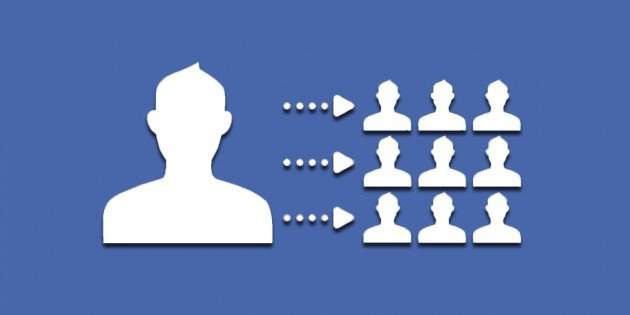
A Lookalike Audience is one of Meta Ads’ most effective tools for reaching new prospective customers who closely resemble your highest-value existing buyers. It leverages Meta’s artificial intelligence and machine learning algorithms to analyze the demographic and behavioral attributes of your Source Audience and find similar users across the platform.
With 2026 advancements in AI targeting like Advantage+ Audiences and seamless Conversions API (CAPI) integration, Lookalike Audiences are more precise and efficient than ever at driving high conversion rates while lowering Cost Per Acquisition (CPA).
Why Lookalike Audiences Are Essential for Ad Campaign Success in 2026
- Higher Return on Ad Spend (ROAS): Targeting users sharing key characteristics with your most profitable customers significantly increases conversion probability.
- Smart & Rapid Scalability: Expand into new demographic segments or geographic markets without wasting budget on broad, untargeted audiences.
- Seamless AI Integration: Modern Meta algorithms utilize real-time behavioral signals to automatically optimize ad placement and targeting.
Steps to Create a Lookalike Audience in Meta Ads Manager
To construct a high-performing Lookalike Audience, follow these step-by-step instructions in Ads Manager:
1. Prepare the Source Audience
Over 80% of Lookalike Audience performance depends on Source Audience quality. Top source options for 2026 include:
- Customer List (CRM): Uploading existing buyer data containing verified purchasers.
- Value-Based Custom Audience: Selecting the top 20% of customers with the highest cumulative spend.
- Conversions API Events: Users who completed Purchase or Lead events over the past 30-90 days.
- Instagram & Facebook Engagers: Users who actively interacted with your profile content or shop.
2. Navigate to Audiences
In Meta Ads Manager, select Audiences, click Create Audience, and choose Lookalike Audience.
3. Choose Source and Target Location
Select your custom source audience and specify the target country or geographical region (e.g., Saudi Arabia, UAE, or Middle East).
4. Select Audience Percentage Scale (Audience Size)
Percentages range from 1% to 10%:
- 1% Lookalike: Yields the highest similarity and closest match to your existing customers (highest quality, smaller size).
- 3% – 5% Lookalike: Offers an optimal balance between similarity and audience scale for campaign expansion.
- 7% – 10% Lookalike: Reaches broad audience sizes; ideal for Advantage+ Lookalike strategies on large-budget campaigns.
Advanced Lookalike Strategies for 2026
- Utilize Value-Based Lookalikes: Build Lookalike Audiences based on Purchase Value rather than simple conversion counts.
- Apply Advantage+ Campaign Budget (CBO): Combine Lookalikes with campaign budget optimization to let Meta dynamically assign budget to top-performing segments.
- Automate Source Refreshing: Ensure customer lists and pixel events refresh automatically via API to maintain source quality.
- Exclude Source Audiences: Always exclude the source Custom Audience from target ad sets to avoid self-competition in ad auctions.
Conclusion
Lookalike Audiences in 2026 remain a core pillar of high-converting Meta advertising campaigns. By leveraging quality first-party data and AI capabilities, you can maximize ROAS and scale your customer base cost-effectively.